For lawyers and court-appointed experts
From loose PDFs to one numbered bundle.
Drop your exhibits into your browser. CourtMerge merges them, numbers and labels every page and puts a clickable index in front. Free, no account, and none of your documents are uploaded.
Works on Windows and Mac. Want your firm's stamp, exhibits split out of one PDF or compression of large scans? That is CourtMerge Pro, one €149 licence, together with the Windows app.

-
Your documents stay with you
The bundle is made in your own browser. Your documents go to no server at all.
-
No account
Open the page and start. No login, no email address, nothing to install.
-
Windows and Mac
It runs in your browser, so on a Mac too, or on an office PC where you may not install anything.
-
Free, with no limit
The web tool costs nothing. Want more? Pro is €149, paid once, no subscription, and includes the Windows app.
Sample
Twenty loose PDFs, one finished bundle
This is how it goes in the free web tool. Or leaf through a real bundle yourself: the index in front, a label on every page, and one click to any exhibit.
A 2.3 MB pdf of 88 pages, with index, labels and bookmarks. The case is made up, the bundle is real: this is exactly what the desktop app produces.
Want to see the Windows app at work? Watch the demo on the Pro page.
How it works
Three steps in the free web tool, in one browser tab.
-
01
Add your documents
Drag your case folder or loose PDFs into the window, or pick them with the button. Subfolders come along. Files that are not PDFs are left out.
-
02
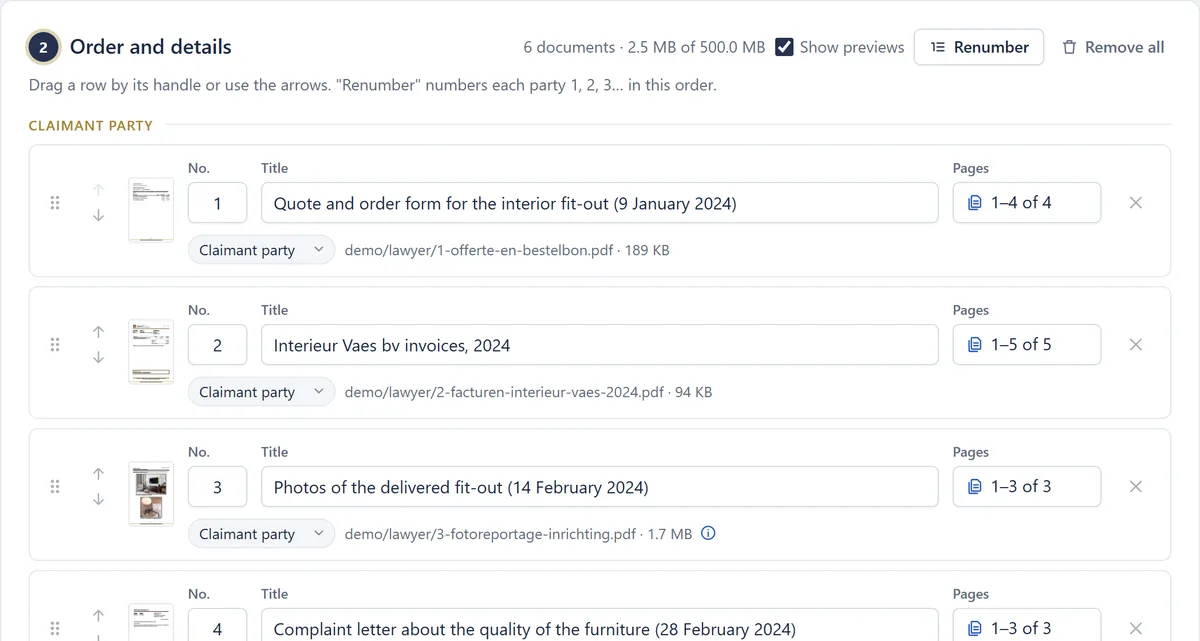
Put them in order
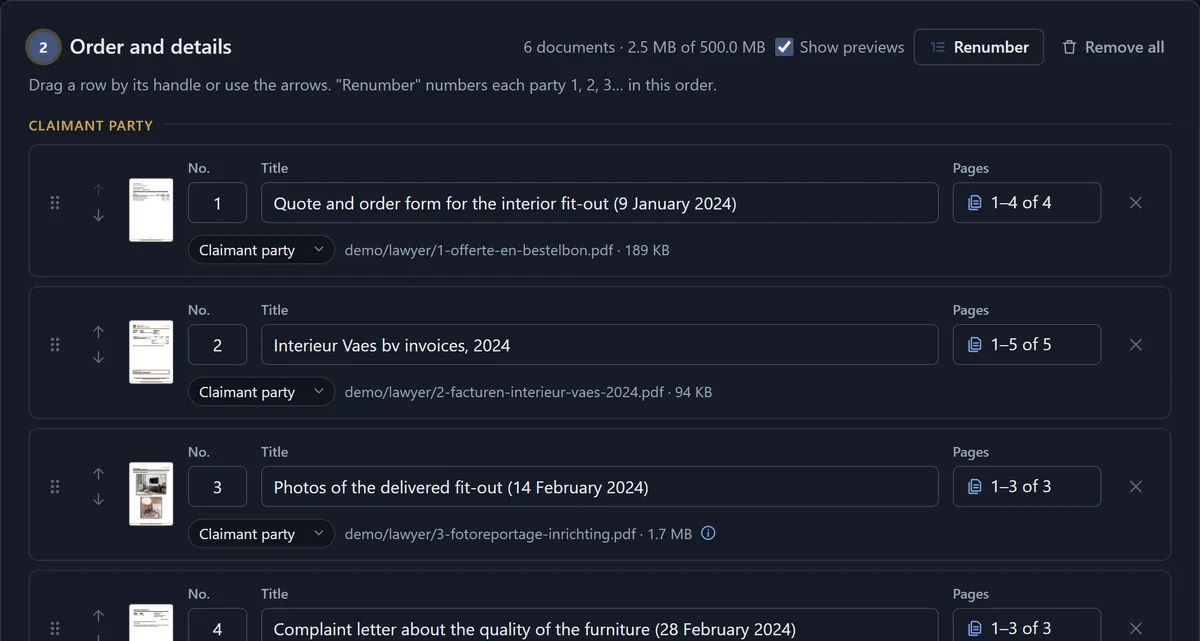
Drag the exhibits around or use the arrows. For each one you fill in the party, the number and the title. Several exhibits in one PDF? Split them with a page range.
-
03
Make the bundle
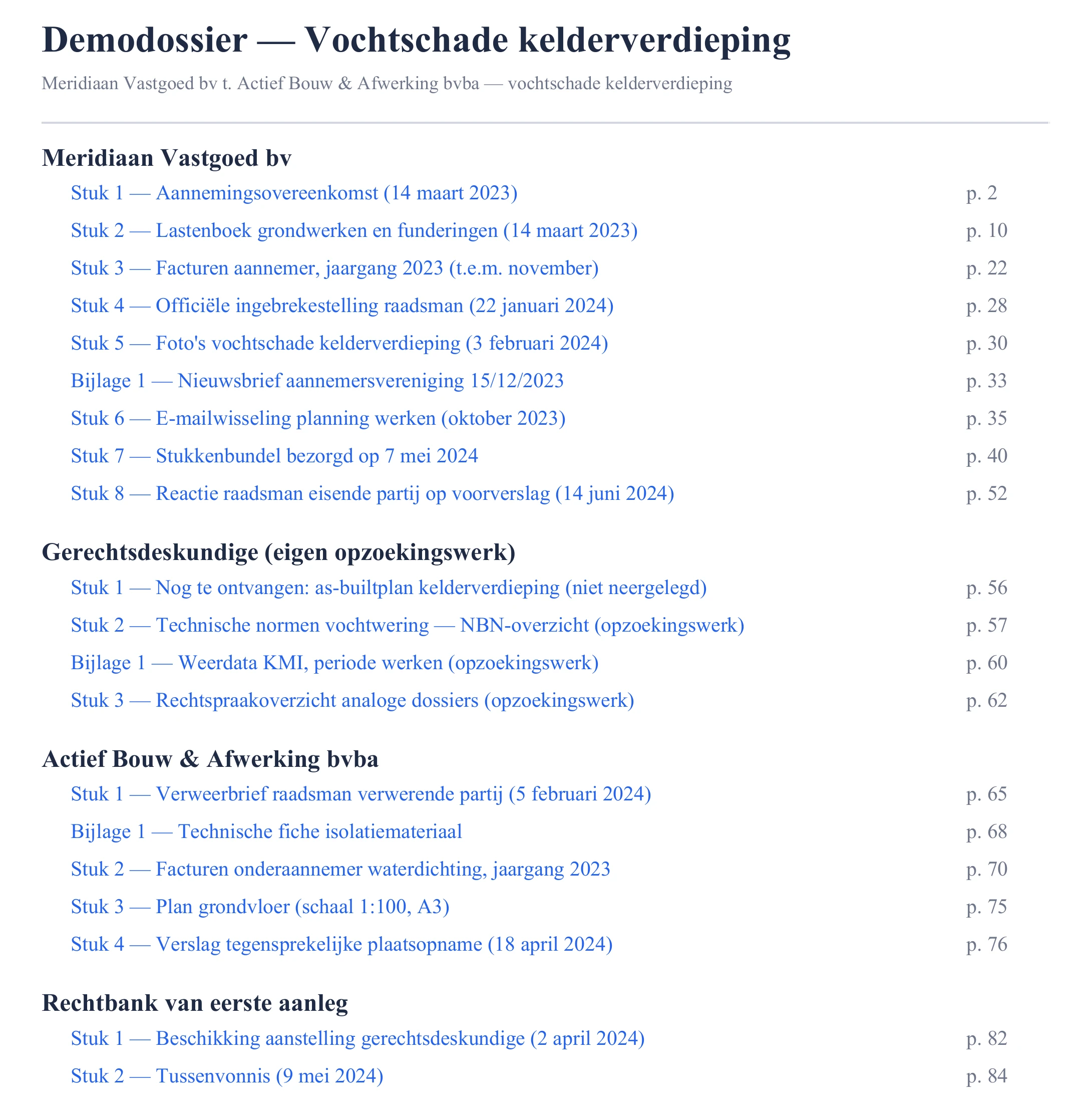
Click Make the bundle and the download starts by itself: one PDF with the index in front, a label on every page and bookmarks.
- Exhibit
- One document you add to your case file, such as a contract, an invoice or a letter. Every exhibit gets a number.
- Party
- One side in the case, such as the claimant or the defendant. Each party files its own exhibits.
- Bundle
- All the exhibits together in one PDF, with a table of contents in front: the index.
- Stamp
- The office stamp you would otherwise put on every exhibit by hand, with the exhibit number inside it.
What it looks like
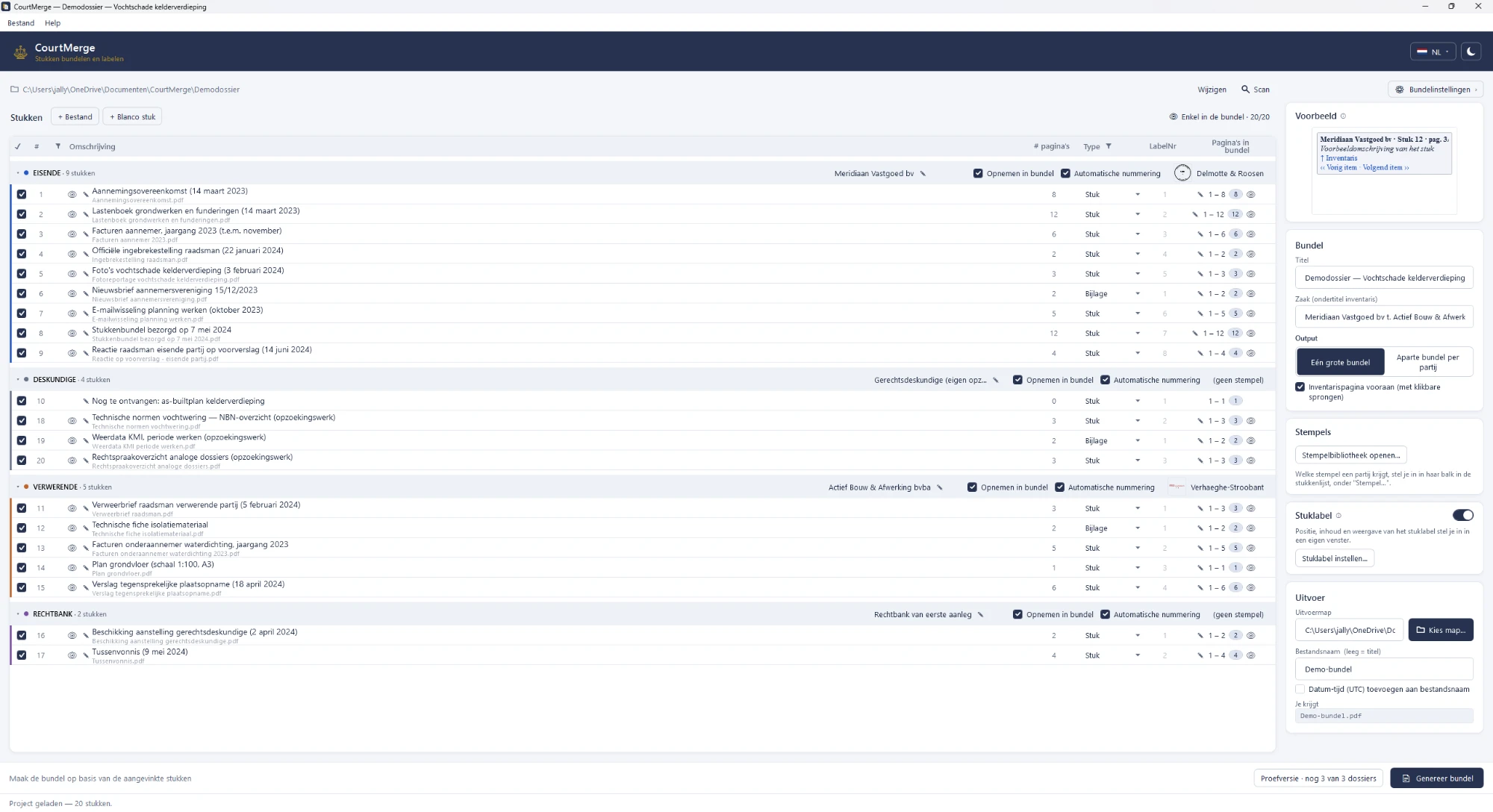
What comes out of the free web tool, and the Windows app Pro where you also manage stamps and case files.
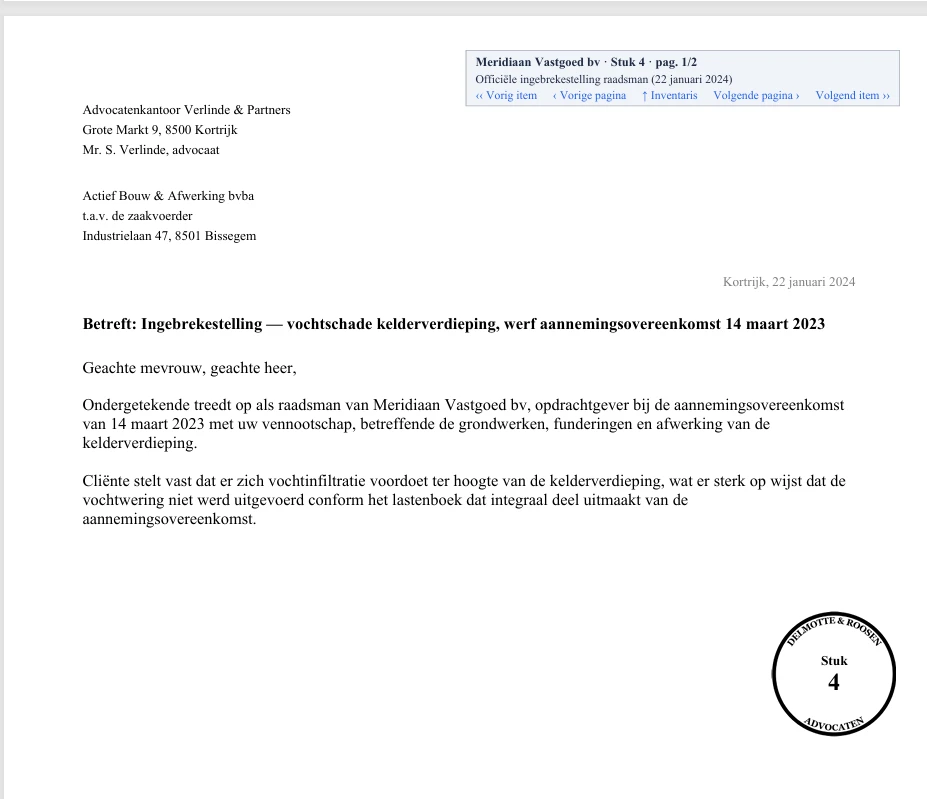
What it does
The free web tool does the numbering, the labels and the index. For your firm's stamp, splitting exhibits out of one PDF, compression and saved case files you need CourtMerge Pro.
Free
In the web tool
In your browser, with no account and no limit.
Clickable index
At the front of the bundle, with a link to every exhibit. The PDF bookmarks are grouped by party.
A label on every page
CLAIMANT PARTY · exhibit 3 · p. 2/7, with jumps to the index and to the previous or next page.Four languages
Dutch, English, French and German. The web tool follows your browser language; in the Windows app you switch at the top of the window.
Entirely local
Reading, merging and labelling: all of it happens on your own computer, in the web tool and in the app.
€149, once
What Pro adds
A bundle per party also works in the web tool. The rest is in the Windows app.
Your office stamp
Scanned or built from a template, with the exhibit number inside, on the first page of every exhibit. Here is what that looks like.
A separate bundle per party
One bundle for the whole case is free. With Pro you make one per party in one go, depending on what the court or the procedure asks for.
Split a PDF with several exhibits
If one PDF holds a whole set of exhibits, you split it apart in the Windows app. Each exhibit gets its own number.
Compression before sending
Pick smallest file, recommended or highest quality, so the bundle gets through the filing system. You can also set resolution, JPEG quality and greyscale separately.
Save and reopen a project
A case file remembers its settings and the full list of exhibits. If an exhibit turns up later, add it and generate again.
Portable version
One exe, no installation or admin rights. So it works on a managed office PC too.
CourtMerge Pro
The web tool is free. Pro you buy once.
Pro is for your office: your firm's stamp on every exhibit, a PDF with several exhibits split into separate ones, compression of large scans and case files you keep. €149, once, no subscription.
Frequently asked questions
Is the web tool really free?
Yes, with no limit and no account. Make as many bundles as you like, with an index, a label on every page, clickable navigation and bookmarks. The foot of the index says, in small print, that the bundle was made with CourtMerge.
CourtMerge Pro (€149, once) removes that line and adds what an office needs: a bundle per party, and in the Windows app your office stamp, compression and saved case files.
Can I try it for free without installing anything?
Yes, with the free web tool. It makes one bundle from your PDFs in your browser, with an index, a label on every page, clickable navigation and bookmarks. Nothing is uploaded and you need no account.
Your office stamp, a separate bundle per party, compression and saved case files are in CourtMerge Pro.
Do my documents leave my computer?
No. Reading, linking, compressing and merging happen entirely locally. CourtMerge makes no network call while doing so, not even to an AI service. I wanted it that way.
Try it on your next case
You make the bundle for free in your browser. You don't need an account, email address or card number.